
What's New in Windowmaker Web
- October 1, 2026
- 10:00 am
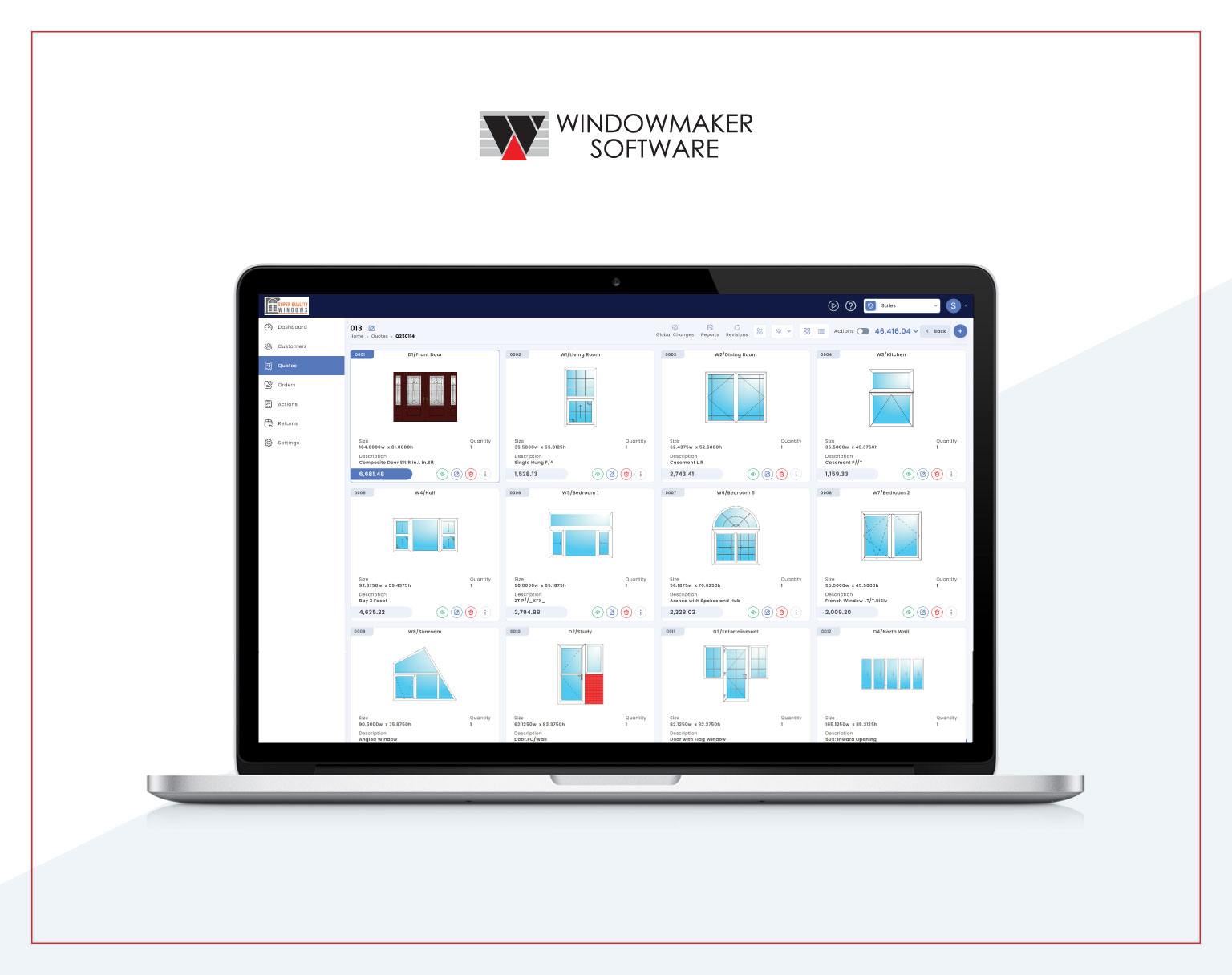
R3.0.0 closes one of the last gaps between Windowmaker Web and Windowmaker Cloud, bringing well-loved Cloud functionality to the browser. Custom 1-OFF designs, production processing, global pricing changes and dealer management are now all accessible from any browser, anywhere. Alongside that, administrators get granular controls, and all reports are now in one unified list.
Quoting: design anything, price it on the spot
Design custom windows and doors directly in the browser
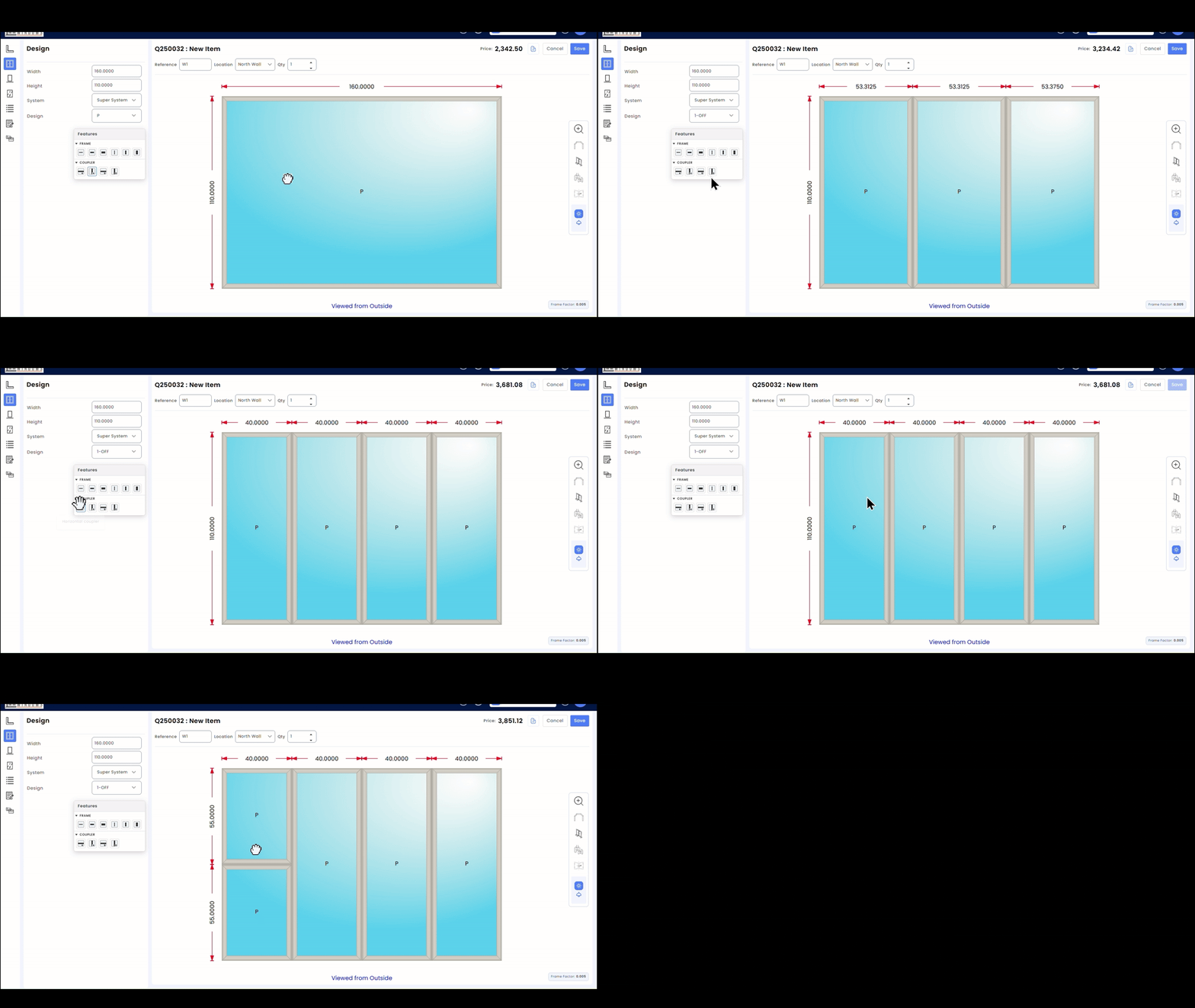
1-OFF designs have been one of the most-used features in Windowmaker Cloud for years. With R3.0.0, that same capability comes to Windowmaker Web. 1-OFF rectangular designs can now be created and modified directly in the browser. Drag and drop to add, reposition or remove features from a design. Double-click on a pane to apply a Pane Type. Designs are filtered by All, Inward or Outward, and Windowmaker automatically matches your design with an existing standard design number where one exists. Anything created in Web is accessible from Cloud, and the other way around.
Bay and non-rectangular 1-OFF designs are still only available in Windowmaker Cloud, with Web support coming soon.
Apply discounts across an entire quote at once
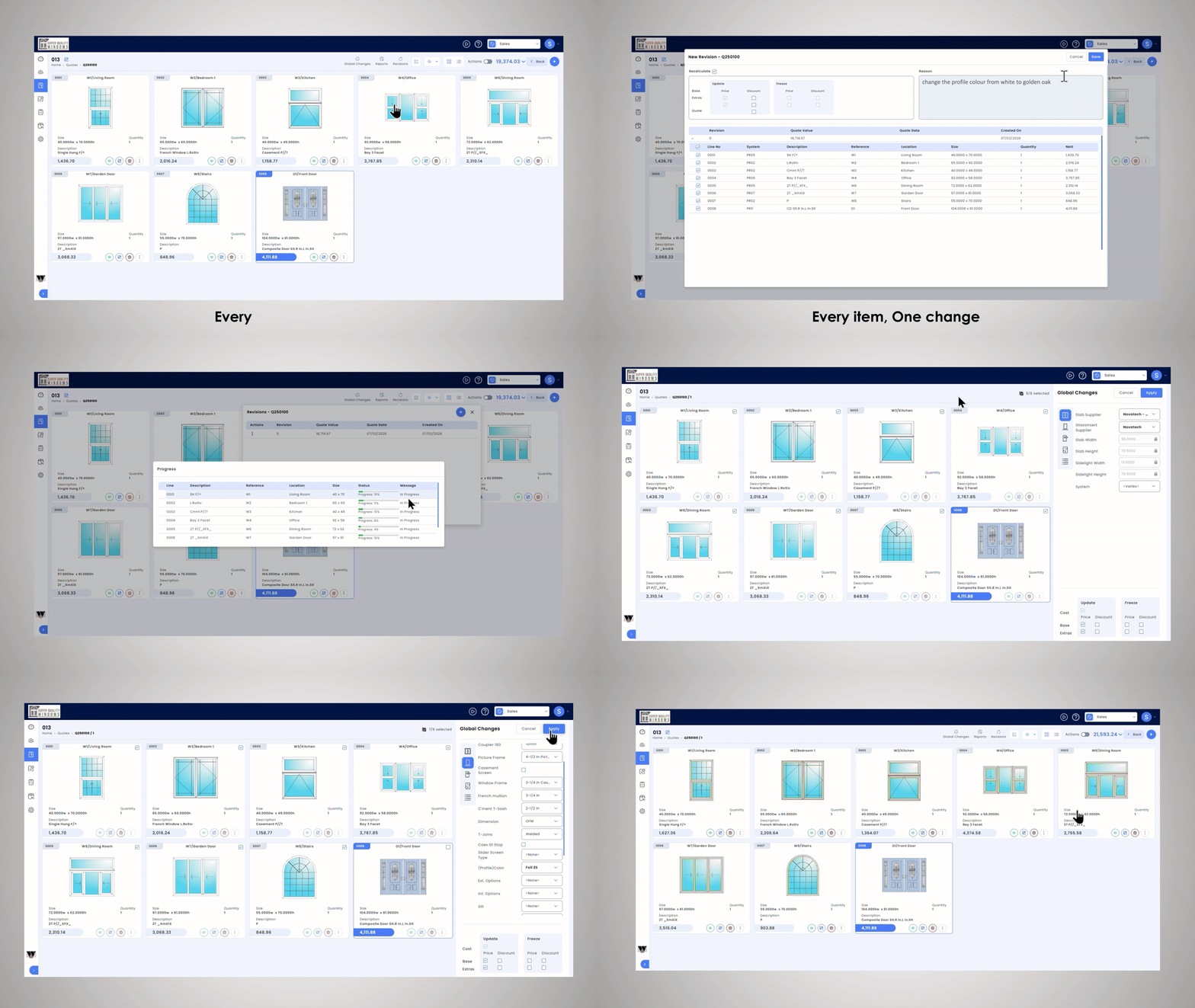
Adjusting pricing line by line on a large quote is slow and error-prone. Windowmaker Web now allows users to apply line discounts globally at system and extras levels. The sales header recalculates automatically once changes are saved.
Production: from sales order to manufacturing in one step
Process an order without touching the scheduling module
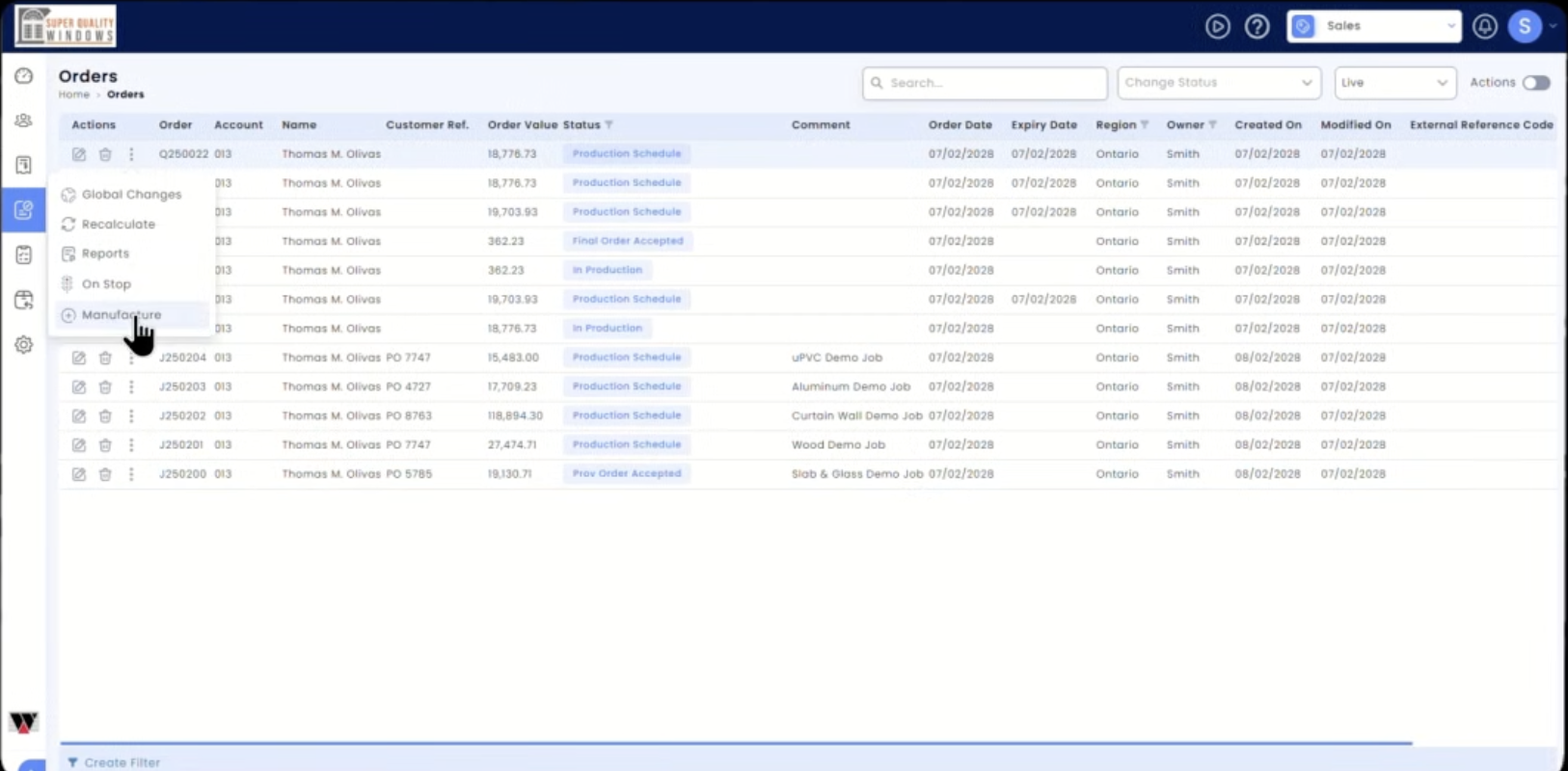
Handing a confirmed order to production has typically meant moving through the scheduling workflow. For manufacturers who don’t need full batch scheduling, R3.0.0 adds a Manufacture button directly on the Sales Orders Live list. One click optimises profile cutting, generates manufacturing reports and machine links as per the Frame Production Set-up, and downloads all output files as a zip. “Mark as Processed” updates stock and offcut records and sets the order status to In Production. If any issues arise (for example, insufficient stock for some components), a log file is created automatically.
Dealers: self-service access for your dealer network
Give dealers their own view without sharing yours
Managing multiple dealer accounts from a single fabricator login has meant logging out and back in, or maintaining separate credentials. The new Dealer Manager (DM) role lets a fabricator user log in as a selected dealer, inheriting that dealer’s rights. The DM can switch among different dealers and back to self using the Change Dealer option. Access is bounded: a DM cannot view or modify dealer settings, create or modify customers, or access Survey/Installation Teams.
Separately, dealer users with appropriate rights can now create, edit and search their own end customers directly in Windowmaker Web and select them when creating a Sales Quote. Glazing and option defaults are inherited dynamically from the main dealer customer, so any changes the fabricator makes are picked up automatically.
Control: permissions, integrations and cost management
Decide exactly what each user can see and do
User rights in Windowmaker Web now go beyond module access. The system enables or disables departments, buttons, menus and fields based on assigned Rights, preventing unauthorised actions at the UI level. An administrator can lock down a screen to show only what a specific role needs.
Find every report in one place
Standard and Custom Crystal Reports previously lived in separate lists. They’re now unified into a single list in the Sales module, with Download and Preview support. A new interface for viewing and updating Report Parameters makes report configuration faster to manage.
Push documents to external systems automatically
A webhook can now be configured to send requested report outputs (for example, Quotation PDFs) whenever a Quote or Order status changes. This means an order confirmation PDF can be sent to an external ERP, CRM or document management system the moment a status updates, without manual steps.
Update product costs in bulk via Excel
Export and import Product Costs via Excel (.xlsx for export, .xls/.xlsx for import). When more than one Costing Version exists, Windowmaker prompts you to select which one to work with.
Plus 15 more improvements and fixes
Beyond the features above, R3.0.0 ships with additional enhancements to reporting, order management, thermal performance and welded joins, along with six bug fixes. The full list is in the release document. Read the Windowmaker 2026 R3.0.0 Release Document >>
See Windowmaker Web in action
Request a demo or tell us about your business and we’ll show you what fits.