
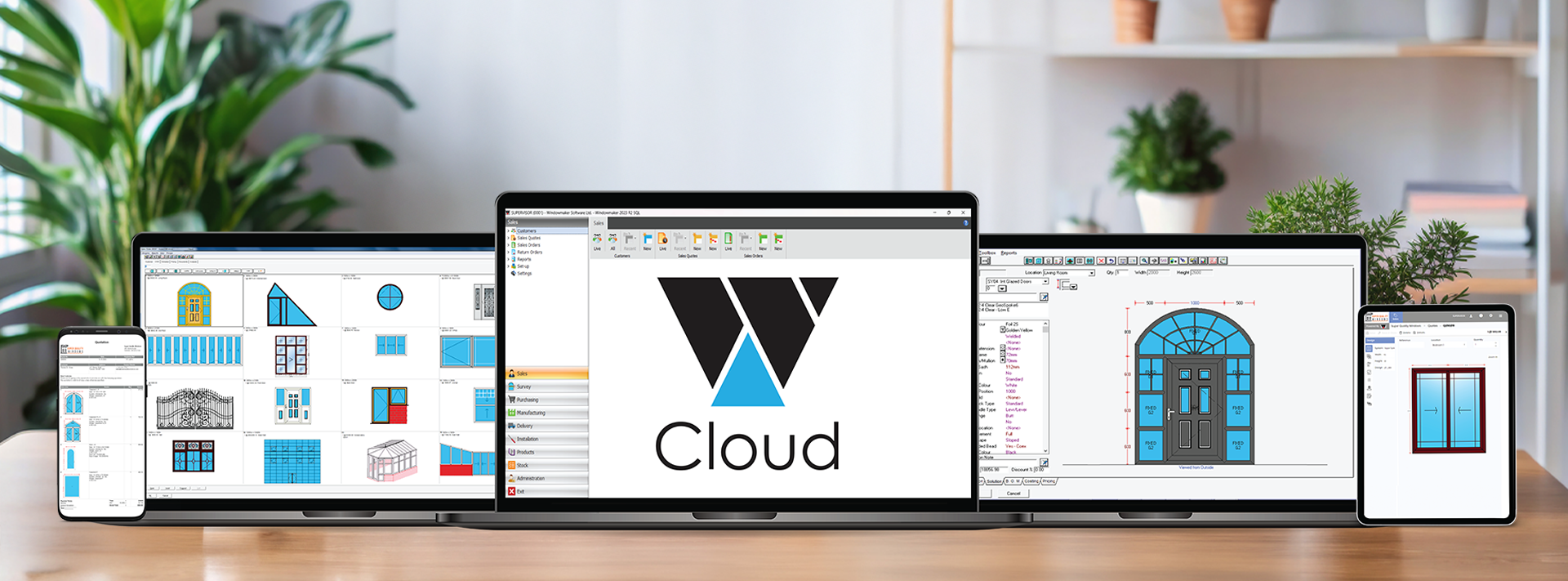
Windowmaker is moving toward a cloud-native platform. This piece is my perspective on what that actually means in practice, and why it matters for the manufacturers across the window and door industry.
Let me be clear that this is not a story about Windowmaker reinventing itself. Our customers have built successful, scalable businesses on this software, and that does not change. What is changing is how we deliver it, and that opens up capabilities that were not previously possible. For those who are not yet customers, I want to explain what we are building and why it is worth serious consideration.
The primary reason we are moving toward cloud software is not just technical. It gives us greater agility to respond to what the industry needs and to keep improving our cloud-based window software platform steadily over time.
Windowmaker Cloud
Intuitive interface, powerful configurator.
Our software has evolved alongwith changing technologies and business needs.
Sales
Includes:
- Hundreds of Standard Designs
- Quick & easy 1-off designs
- Angled and Arched shapes
- Bays / Bows / Georgian / Leaded
- Entrance Doors / Panels
- Global Changes
- Revisions
- Standard Reports/ Dashboards

Essentials
Includes:
- All the features of Sales
- Purchase Order Reports
- Production Work Instructions
- Bar Optimisation
- Reusable Offcuts
- Labels
- Delivery Reports
- Installation Instructions
Professional
Includes:
- All the features of Essentials
- Windload
- Commercial Contracts
- Optimised Costing / Pricing
- Surveys & Scheduling
- Purchase & Sub-batching
- Production Scheduling
- Remakes
- Deliveries & Scheduling
- Installation Scheduling
- CAD Link
Benefits of Windowmaker Cloud
Try Windowmaker Cloud product and free your resources to concentrate on your own business. Leave the hassles to us and enjoy these benefits:
Easy access
Free your employees from their desktops. Access the software easily from anywhere as long as you have Internet connectivity.
No infrastructure to maintain
Reduce your IT manpower and infrastructure costs. As the program and data are hosted on our Cloud, you have nothing to worry about.
Always up-to-date
Whenever program or data updates are released, get them automatically.
Compare Features
✔ - included, ✖ - not included, $ - available as an add-on, POA - Price on Application
Features
Sales
Essentials
Professional
The Configurator
Complex angled designs, with accurate calculations for frame, sash & glazing.
Arched Heads
Complex arched designs with different types of joins, Georgians, etc.
Multi-faceted bay/bow designs, with up to 12 facets, and flag windows.
Georgian grids in rectangular, semi-circular, circular windows with normal/spoked transoms/mullions, and other complexities
Panels
Import panel graphics as image files, use them as wallchart or filtered list
Entrance Doors
Generate quote and production document with the necessary info; slab and glass purchase orders separately
Multiple Material e-catalogs
Flexibility to process items using different materials in a single order
Windload
Evaluate wind pressure; filter out profiles and glass that do not meet the required parameters
Items up to max size of 65m X 65m, and grid size of 50 X 50
Set up frequently sold items as Std Products to reduce order entry time and errors
Sales
Apply multiple changes simultaneously to all or selected sales lines; run what-if scenarios for checking impact
Revision
Manage and keep track of one or several revisions to a Quote
History
Maintain the progression of a quote right through the manufacturing process; store all communications with a customer
Split and manage large commercial orders
Store Price Lists
Flexibility to handle complex pricing strategies
Optimised Costing / Pricing
Calculates the profitability (+/-) of each order so you can tweak your pricing; enables you to be competitive and not make losses on atypical orders
Special Customer Terms
Generate links to saws, welders, working centres and glass cutting tables.
Transfer Elevations and Cross-Sections to CAD
Extras
A facility to automatically identify and print the additional price of non-standard components
Survey
Survey Sheet
Pre-defined format of Survey sheet allowing 3 measurements for each
Surveying
Tracking items pending survey; validate surveyed sizes against tolerance limits
Survey Scheduling
Optimally utilise surveyor availability; schedule surveys via calendars, and drag-and-drop appointments, split appointments
Link to WMM
Coming soon
Purchase
Purchase Order Reports
Eliminate errors by automatically generating Purchase Orders for BTO components
Track the receipt of items ordered; automatically update stock records to reflect pending items.
Purchase Scheduling
Streamline operations by ensuring the availability of BTO components at the right time and place for manufacturing/delivery
Eliminate errors and save time by transferring details of the required glass to glass suppliers.
Windowmaker Stock Control
Sophisticated and efficient inventory management module.
Link to Stock
Generate the required details to transfer to an external Inventory Management software.
Manufacturing
Production Work Instructions
Generate accurate work instructions for each operation on the shop floor to increase throughput.
Reduce profile wastage by organising the cutting sequence of profile pieces within a job, batch or sub-batch.
Bar Optimisation Advanced (II & III)
Reduce profile wastage by organising the cutting sequence of profile pieces through an advanced algorithm.
Bar Optimisation III
Reduce wastage of symmetrical sash profiles or where transoms/mullions are to be reverse butt welded.
Reusable Offcuts
With a customisable set up, manage your offcut pieces better and reduce wastage.
Easily identify individual parts of a sales line; increase efficiency and reduce errors.
Profile/Part Labels Advanced (II)
Save costly remakes by reducing machining errors; automatically output machining information in addition to the piece identifying parameters.
Production (Frame, Sash & M/T) Labels
Generate labels with all necessary information for easy identification and processing throughout the manufacturing workflow
Sub-batching
Split large production batches into manageable sub-batches to process easily.
Schedule a batch for production considering lead times for raw material, production capacity, required delivery dates, etc.
Advanced Production Scheduling
Optimise production across sites and by scheduling different items within an order into different production batches.
Multiple Sites
Make optimal use of resources across multiple sites while planning production.
Get complete control of your shopfloor. Increase your operational efficiency by tracking individual frames/sashes from production to delivery.
Choose to only output BOM for the required material while remaking an item; schedule the remake; analyse reasons for the remake.
Glass Optimisation
Optimise glass yield by organising the cutting sequence of glass.
Control Saw operations automatically - maximise saw capacity, save on remakes, reduce input time for each batch, maximise shop floor productivity.
Control machining operations automatically - get accurate cutting and machining output, reduce set-up time, maximise capacity utilisation, eliminate paperwork and mistakes.
Automatically generate instructions to be loaded into your welder - maximise capacity utilisation, reduce costs by cutting wastage, save on set-up time.
Links to Glass Optimisers
Link Windowmaker to any external Glass optimiser program.
Automatically control glass cutting operations by linking to your cutting table.
Delivery
Delivery reports
Automatically generate despatch notes with details of items to be loaded in each consignment; include details of material to be directly delivered to the site.
Delivery Scheduling
Allocate sales orders to individual deliveries, taking into account delivery routes and available capacities.
Advanced Delivery Scheduling
Gain more flexibility moving items within a sales order, depending on delivery routes and capacities.
Installation
Installation Instructions
Automatically generate reports that include precise quantities of material required for installation at customer site. Customise the report to suit your needs.
Installation Scheduling
Manage installation teams and time slots efficiently with a focus on customer convenience.
Invoicing
Link to Sales
Save time and avoid costly mistakes by exporting Invoice transaction to external Accounts Receivables systems.
Link to QuickBooks (Sales)
Save time and eliminate duplication of order entry by automatically linking Windowmaker to Quickbooks.
Sales Management
Sales Analysis
Analyse revenues on various parameters.
Management Reports
Have your hand on the pulse of your business with critical information and analysis at your fingertips.
Dashboards
View information for every department in a graphical format for easy comprehension and timely decision making; customise what you want displayed on the dashboards.
Administration
User Rights
Empower staff and simultaneously secure your business information by setting up user rights so they have access to the required information/features.
Frequently asked questions
Subscription and payments
The same powerful Windowmaker Configurator is behind the smart logic in all of the subscription levels available. Each product is differentiated by a of selected bundle of modules. Modules are also available separately as add-ons to any of the products.
All major debit and credit cards accepted, Stripe, Direct Debit and BACS transfers are also accepted.
You will be notified via email if there are any payment related issues. There will be instructions provided to help you through the most common payment issues.
Get in touch, email us at info@windowmaker.com.
Windowmaker Trial
The trial will include the full bundle of the product with generic data for profiles, hardware and glass.
Of course. If, as an existing Windowmaker user, you want to get started immediately, just contact your existing salesperson, or write to us onhelp@windowmaker.com mentioning your present userID and we will organise the subscription.
You will need to provide us the details of the users and we will create them for you.
Unless you contact us for starting your subscription, you will lose access to the program and data when the trial ends.
Yes, the same data will be migrated to your paid subscription without any disruption.
Security & Backup
You will need to contact us on help@windowmaker.com for this.